Tag Archives: iOS 6

Downgrade iOS 7 to iOS 6

How To Downgrade iOS 7 To iOS 6.1.3 / iOS 6.1.4

Apple unveiled the new innovative simple, elegent and most advanced iOS operating system at WWDC. The new iOS 7 is available as beta for iPhone for developers. I can see most of the iOS users activated their UDID to install iOS 7 on their iPhone. iOS 7 has amazing visual elements and added functionality. The elements are beautiful, typography is good,  simple and stunning. Apple also added some features like facetime audio calls, torch, mission control, automatic app updates and flat icons and lot more.

According to me, iOS 7 is best on iPhone 5, because it has a powerful hardware. Much expected visual element, transparency in missing on iPhone 4 and iPhone 4S. Every operating system is hardware dependent. There are some features like Airdrop and live wallpapers and weather animations are only available for iPhone 5.  Many reported that, there are lots of bugs to be addressed for old devices.

If you are using iPhone 4 and iPhone 4S to install and try iOS 7 beta, you can feel your phone is slow and lag. I installed iOS 7 on my iPhone 4. App dock is supposed to be transparent but it is grey in color. My phone also restarted for 3 times. Third party apps are opening slow in older devices and frequent crash. Some of the graphical elements are overlapping.

I advice not to try iOS 7 on older phones. If your are using iPhone 4/4S as main device please don’t install iOS 7 beta . Since my iPhone is my main phone I downgraded iOS 7 to iOS 6.1.3. If you want to try iOS 7 please wait for next beta or wait for final release of iOS 7.


Downgrade iOS 7 To iOS 6.1.3 /iOS 6.1.4 (iPhone 5)

  • Goto apple download page and download your latest firmware  – iOS 6.1.3 (iPhone 4/4S) – iOS 6.1.4 (iPhone 5) (Latest Public Release)
  • Open iTunes on your PC or Mac and connect your phone.
  • Select your device, use Option + Click (Mac Users) or Shift + Click (Windows users)  on restore button and select the iOS 6.1.3 or iOS 6.1.4 .ipsw file.
  • Now your device will be successfully restored to iOS 6.1.3 (iPhone 4/4S) or iOS 6.1.4 (iPhone 5)
 

Your iDevice Can Read Selected Text For You, Here Is The Steps To Enable It

Apple introduced iPhone in 2007. Apple made lots of changes to the iPhone in these years. Latest iPhone 5 is amazing with new stunning design and improved hardware. The new A6 Processor is Apple’s custom processor and its amazingly 2 times faster than the previous iPhone (iPhone 4S). Here is the benchmark.

Like the hardware, Apple also updated their mobile operating system. Hardware is just the body, iOS is the soul. Apple perfected both hardware and software to satisfy its customers. iOS got lots of changes when compared to the previous versions.

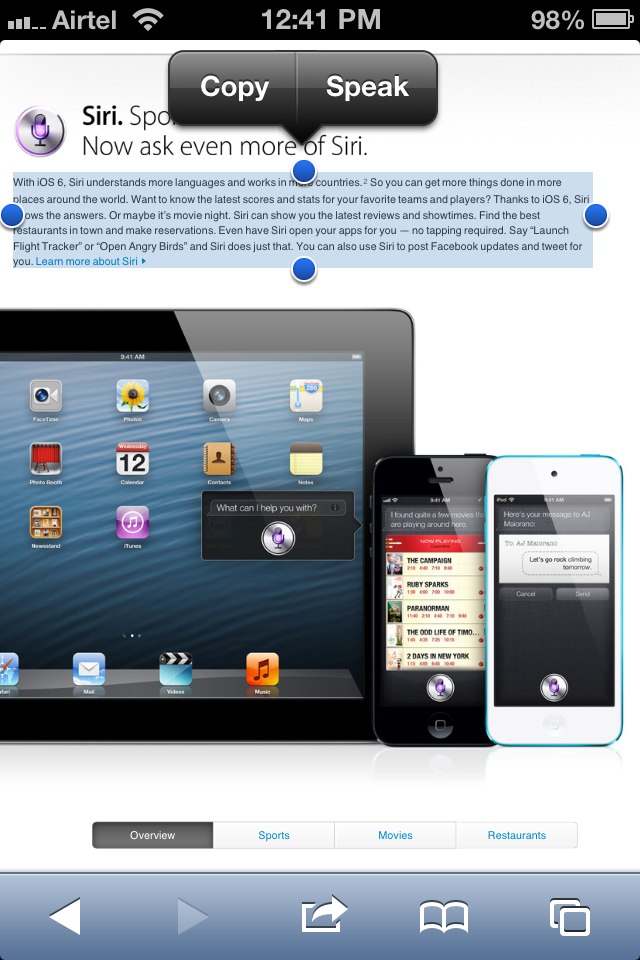
Apple introduced Speak Selection feature in iOS 5. Speak selection feature is really cool, all we have to do is select the text and hit speak, listen. This really saves time and improve our productivity. This works with Mail, Browser and notes app. Now you can easily complete long article in short time. Continue reading Your iDevice Can Read Selected Text For You, Here Is The Steps To Enable It

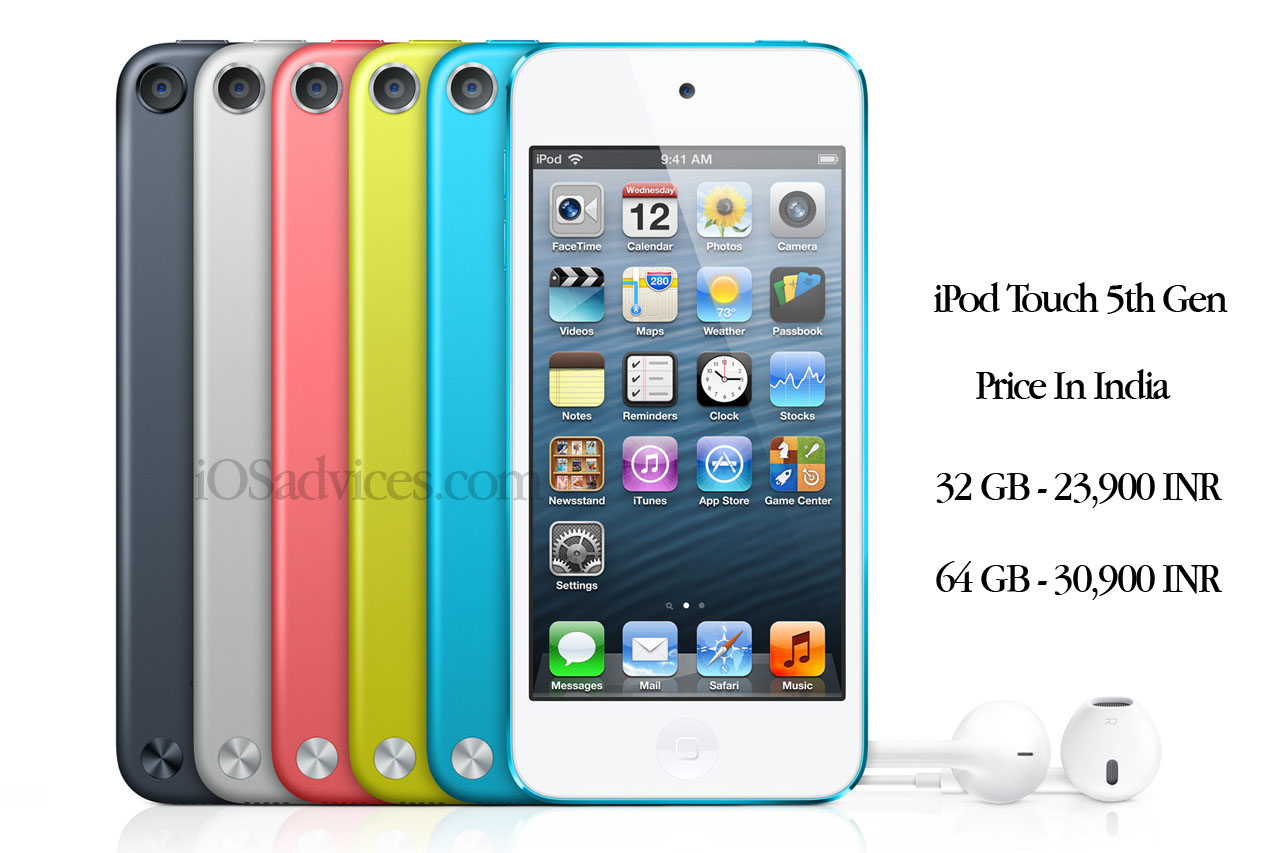
iPod Touch 5th Gen Price In India – 32 GB – 23,900 INR & 64 GB – 30,900 INR

Apple unveiled the new iPod Touch 5th Generation during iPhone 5 event on September 12, 2012. The new iPod Touch is packed with A5 Dual core processor, 4 inch retina display, Facetime HD Camera, 5 megapixel rear camera, Flash. The New iPod Touch also available on many colors.

Apple India today announced the price of iPod Touch 5th Gen – 32 GB – 23,900 INR & 64 GB – 30,900 INR

Via Apple

iOS 6 Direct Download Links

Apple Just released iOS 6 for Public. iOS 6 has lots of new cool features. iOS 6 is available as OTA  update and akso you can download iOS 6 .ipsw file.  Are you having Jail-broken iPhone ? Do you really want to say with that? obviously I will suggest you wait until Jailbreak for iOS 6 is out. Mean while download iOS 6 .ipsw file and use it when the jailbreak for iOS 6 is out.

iOS-6

Continue reading iOS 6 Direct Download Links

Apple Unveiled iPod Touch 5th Gen – A5 Processor, 4 Inch Screen, Stunning Design

Moments ago Apple unveiled the new iPod Touch 5th generation. The new 5th generation iPod touch has the same 4 inch retina display as on iPhone 5. The all new 5th gen iPod touch is packed with A5 processor and all new faster WiFi.

iPod Touch 5th Gen has all new 5 megapixewl camera with LED flash and Facetime HD camera. Continue reading Apple Unveiled iPod Touch 5th Gen – A5 Processor, 4 Inch Screen, Stunning Design

How To Enable FaceTime Over Cellular [3G or LTE]

In 2010, Steve Jobs unveiled iPhone 4, it has front facing camera which is useful for FaceTime video calls. FaceTime is only possible over WiFi network. During initial Launch FaceTime is only possible between iPhone 4.  Later unveiled new products and now FaceTime is possible between iPod Touch, iPhone 4/4S, iPad 2/New iPad, MacBook Airs, Mac Book Pros, iMacs and Mac Mini’s.  Continue reading How To Enable FaceTime Over Cellular [3G or LTE]