Category Archives: Tutorials

How to Jailbreak iPhone 5 using Evasi0n ?

evasi0n

iPhone 5 Jailbreak tool Evasi0n just got released. Here is a detailed tutorial which explains how to Jailbreak your iPhone 5 using Evasi0n in simple easy steps. Evasi0n is available for PC running on Mac OS X, Windows and Linux.

 Download the Evasi0n tool for  your desktop PC by following this link here.

Once you download the tool. Follow the steps below to Jailbreak your iPhone 5.

Warning : Backup your device using iTunes (or iCloud) before using evasion. If something goes wrong, you’ll always be able to recover your data.


Step 1:

Make Sure your iOS devices runs on iOS 6 or above. If not download iOS 6 or iOS6.1, and update your device to it using iTunes.

Step 2:

Make sure you don’t have any passcode set on your device. You can disable Passcode lock from: Settings –> General –> Passcode Lock –> Off

Step 3:

Close iTunes before proceeding to the next step.

Step 4:

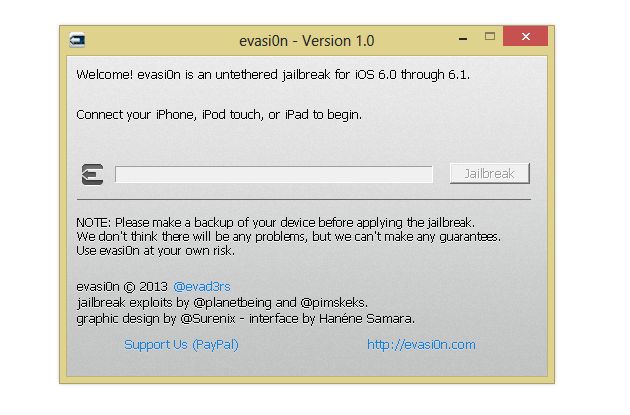
Start the Evasi0n jailbreak tool on your computer.

Step 5:

Connect the relevant iOS device to your PC or Mac via the USB cable .

Step 6:
04-02-2013 22-51-03

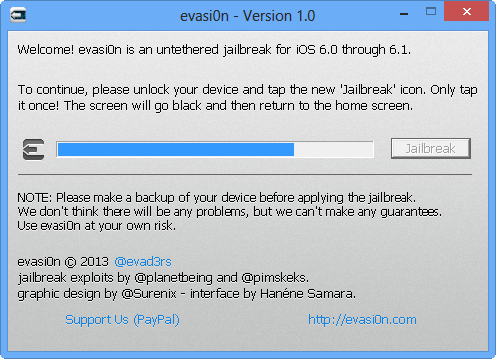
Select the Jailbreak option and run  the jailbreak process.

Step 7:

You will see an app called Jailbreak in your iPhone. Evasi0n now ask you to tap the icon in your iPhone once to continue.

Step 8: 

Tap to continue the Jailbreak Process.

Step 8:

If the Jailbreak was successful you will see the Cydia app in your iPhone.
iPhone 5 Disassembly & Assembly DIY Video

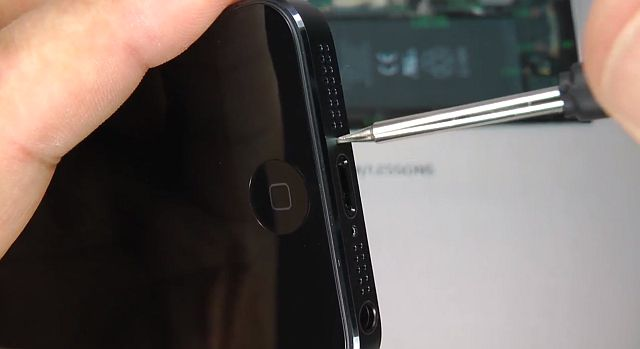
Apple iPhone 5 is not yet available in many countries. But you can buy it from US or nearby available countries. Once you get it and unfortunately if you have any problems with it. Your local Apple Service center wont repair it. You are on your own to repair it by yourself  or replace from where you got. If you plan it to do it by yourself here is a great video tutorial by LE55ONS.  He is a expert in assembling and disassembling of various latest smartphones. Here is the very detailed 45 minutes video of Apple iPhone 5 Disassembly & Assembly .

Thanks LE55ONS

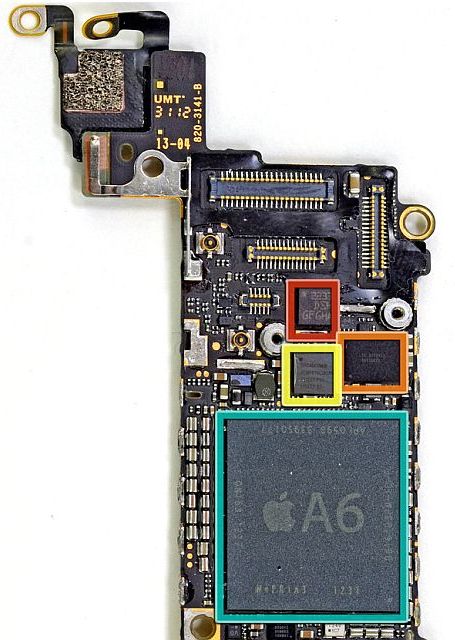
iFixit iPhone 5 Teardown reveals 1423 mAh battery, easy to replace display and much more

iFixIt opens up the new iPhone 5 and reveals the great internals powering up the new beast.  iFixIt also  says the new iPhone can be opened up both front and back making it very easy to repair. Guess what the iPhone 5 is powered by 1424 mAh battery :O Shame on you Androids 😛 .


Go here to check out the full details iFixIt iPhone 5 Teardown

How to convert a Micro SIM into a Nano SIM ?

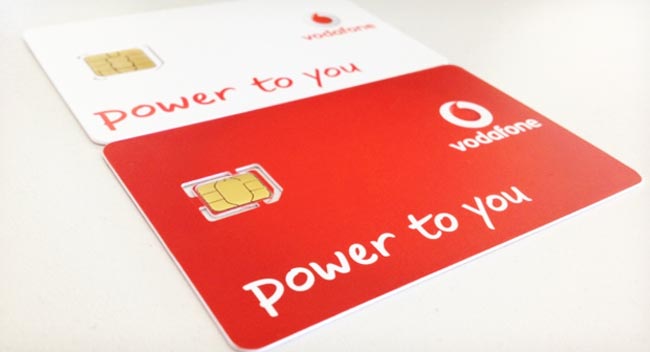
As Apple said in the keynote the Apple iPhone 5 uses the new gen Nano SIM instead of the Micro SIM card slot. The Micro SIM card slot was introduced by Apple during iPhone 4 and then was used in iPhone 4S and also iPads. The process of trimming down the Normal SIM is quite easy if you have the Micro SIM cutter, which looks like the stapler. But can we convert Micro SIM to Nano SIM ? Here Jeff explains How to convert a Micro SIM into a Nano SIM.

Continue reading How to convert a Micro SIM into a Nano SIM ?

Blogsy – Must Have Ultimate Blogging Tool For Your iPad

iPad is an amazing technology innovation from Apple Inc. Apple calls iPad as post PC device. We can also see lots of tablet from competitors after iPad's success. There are more than 250,000+ iPad only apps in app store to take advantage of the large canvas.

I got my iPad 2 Weeks before and I am testing many apps to make my iPad a better tool. I came to know about blogsy from one of my blog friend and I tried it. Oh man!! it's an amazing app to write blogpost using iPad.

Continue reading Blogsy – Must Have Ultimate Blogging Tool For Your iPad

How To Make Voice Calls Using FaceTime On iPhone, iPad and iPod Touch

Steve Jobs introduced FaceTime for iPhone 4 at WWDC 2010, FaceTime (Apple’s Video Calling Feature) really changed the way of communication. You can see your loved one’s face and also what they see. FaceTime became popular in few days, so Apple introduced FaceTime on iPad , iPad Touch and even on Mac Computers. Continue reading How To Make Voice Calls Using FaceTime On iPhone, iPad and iPod Touch

How To Gift iPhone, iPad Apps Or Games To Your Loved Ones

iPhone and iPad has lots of apps and games when compared to other mobile operating systems. Most of the premium apps for iPhone and iPad are really value for the money. You can gift iPhone and iPad apps to anyone. You can directly gift apps from iTunes or from your iOS device. Here is our simple tip…. Continue reading How To Gift iPhone, iPad Apps Or Games To Your Loved Ones

How To Get Paid iPhone, iPad, iPod Touch Apps For FREE !!

Are you a proud owner of iPhone. iPad and iPod Touch ? Looking for a way to get paid apps for free ? Here’s our tutorial on How To Get Paid iPhone, iPad, iPod Touch Apps For FREE

 FMA

STEPS: How To Get Paid iPhone, iPad, iPod Touch Apps For FREE

STEP 1. Go to this URL ( goo.gl/xAlDAf ) from your iDevice safari browser.

STEP 2. Once the page is open. Tap on free apps to install the profile, this helps to track your activities.

STEP 3. Start downloading the sponsor apps. Once you download the apps, open the app for 30+ seconds. Close or delete the app (your wish).

STEP 4. Go back to safari browser and hit refresh you will see the credits (Some times a there will be little delay in time), these credits can be used to redeem paid apps

STEP 5. Once you accumulated enough credits go to “View Gift Apps” and download your paid app for free. When you tap on the app you will get promocode, which can be redeemed through US iTunes account. To get US iTunes Account follow this procedure.

Note the credits varies according to the apps.

Hope you like this tutorial. 

HOW TO Turn Your iPhone or iPad Into HQ Mic

VonBruno Microphone App for iPhone lets you to use your iPhone as a live Microphone. All you have to do is connect your sound system and iPhone using regular 3.5mm Jack. Once you completed the setup just fire the VonBruno Microphone App. Continue reading HOW TO Turn Your iPhone or iPad Into HQ Mic