Will iPhone 5S Get 1080p 60 FPS Front Facing Camera ?

Apple improved the front facing camera in iPhone 5. iPhone 5 has 1.2 Mega Pixel front facing camera. With this new front facing camera we can make 720p FaceTime calls. Omnivision , the maker of iPhone 5’s front facing camera sensor announced the new OV2724, full 1080p sensor compared to the existing 1.2 Mega pixel front facing camera in iPhone 5.

1080p Front Facing Camera iPhone 5S

Omnivision also announced that the production will start this summer.

VIA

Peachy App – If You Are In UK, Just Use Your iPhone To Get Loans

We’d heard that mobile is applicable to do things on the finger tips, ever heard taking a Loan just with the finger tips ? Yes, Its possible now. All thanks to peachy iPhone mobile application.

Peachy is the mobile company doesn’t leave you apart during the emergency also. It offers you a Loan of 500 GBP for a period of as little as 5 days or as long as 5 months.

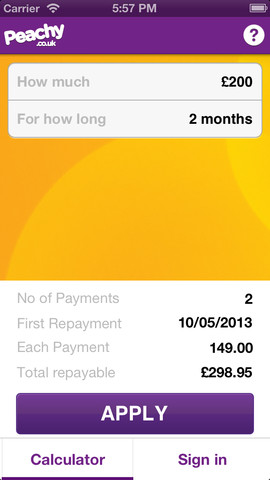
The all new iPhone mobile support application gives you the ease of choosing the amount you want to borrow and for how long using a smart technological solution-a loan calculator. Fill the amount and the desired time period till when you can repay the loan. Once you fill these two fields, tap on the button ‘Apply Now’ and you will be re-directed to the form fill-up page.

Peachy App

Just by filling up the form with your personal, bank and financial details, you confirm that you will be borrowing an amount from Peachy.co.uk. You may get a call from Peachy’s customer service asking for more details about you or your financial background. Once you confirm, your loan will get processed within 15 minutes to one hour, and the amount will be deposited in your bank account. The unique feature about this iPhone application is that you can borrow money from any place in UK and receiving it within an hour, sans any processing-hassle or much of time consuming. This means you can use the money on the same day only.

This all may sound like a dream but Peachy makes it all possible. So, Turn to Peachy and Enjoy.

Velox – Use Gesture Actions To View App Notification [Jailbreak]

Most of us jailbreak our iOS device. We can do lots of tweaks to our iOS device if we jailbreak. Today, we are going to see about Velox Jailbreak tweak. Velox lets us to use gesture controls on app icon to show app notifications / run the app on springboard (on home screen) itself. Here is the preview video of Velox Jailbreak tweak which is expected soon under BigBoss Repo. Velox tweak is priced at $1.99

How cool ? Are you jailbreak fan ? What do you think about this tweak ?


iPod Nano And Shuffle Torture Testing In Snow [Video]

There is a limit for every gadget. Electronic gadgets works only on certain condition, it won’t work on extreme conditions. Accidental drop of gadgets is unstoppable, survival depends on the environment. Here is the iPod Nano and iPod Shuffle drop and torture test in show. The good news is both the gadgets survived the test. I am still wondering how the iPod nano survived the glass of beer.

UCBrowser for iPhone Review

iPhone users have a opinion that the third party web browsers in iPhone doesn’t perform better than the default browser. But this UCBrowser we tested tend to differ from the array of just another third party browser concept . UC Browser is the product of UCWeb. They just updated their iPhone version of the browser with many features.

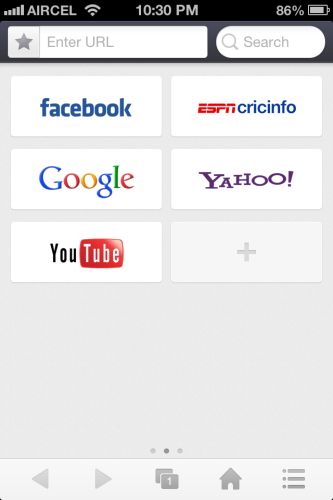
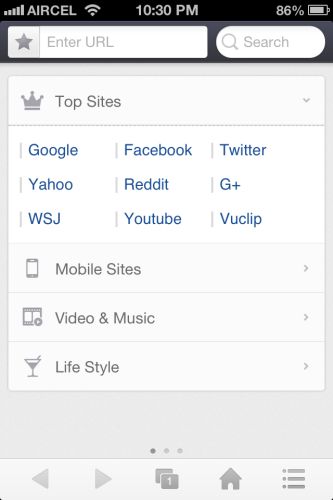
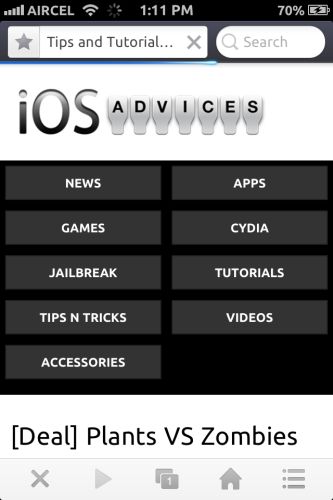
Let’s start from the home screen of the browser. Once you open the app you can see three swipable home screens. The first screen shows top sites, mobile version of famous sites and many more bookmarks.
ucbrowser

1


1-1

Second screen have the  quick shortcuts aka speed dial view of your frequently visited websites.

2

Third screen is the special one. It is called as the quick reads. It shows top headlines from various news networks. In the main screen you can see the URL text box and search text box.

10

The search bar is also improved to get you the quickest search result possible. Just click what you need to search for such as website, Videos, News and Image.

UC browser also supports gestures . Two finger swipe down opens a new tab, two finger swipe up closes the tab and two finger right or left swipe lets you switch between the tabs. And Single finger left or right swipe in a web page takes you forward or backward in a web page.

8

In the tools menu you can find the share menu from which you can share the page to many social networks. There is also rotation lock in the browser. The toggle for rotation lock appears when you change the orientation of the phone.

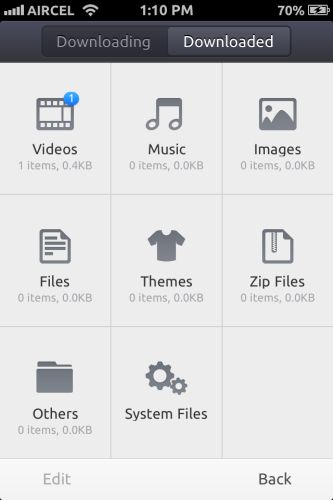
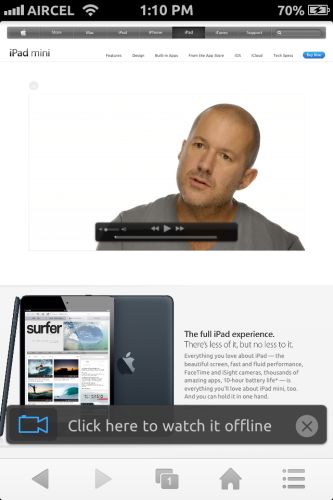
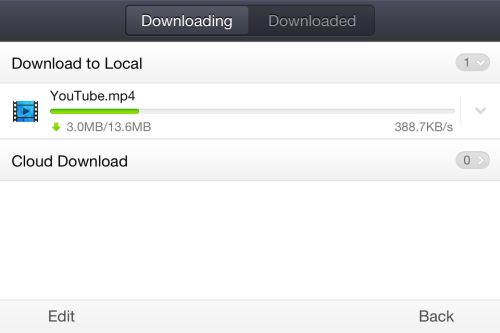
Load a website with video and wait for the surprise ;-). UC browser comes with watch offline mode. Download any videos on WiFi/3G network and watch on the go. This options shows up on all streaming internet videos.
12

713

Once you click watch offline, the UC browser starts to download the video file for you. In my opinion this is one of the most needed feature in India.
3

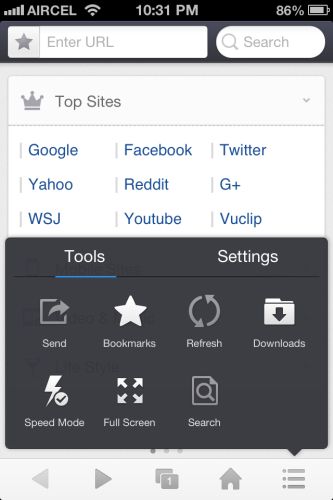
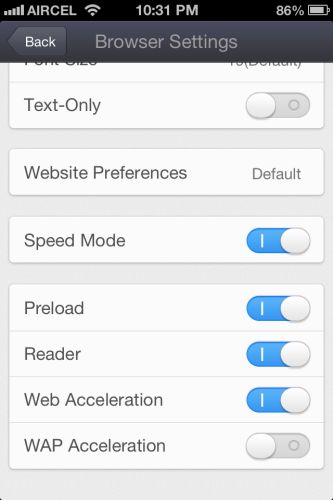
Tools and settings is the most interesting part of the UC browser. There are lots of settings to make the browsing experience good for the users. You can access speed mode which reduces image and site load. It can be accessed quickly from the tools menu.
4

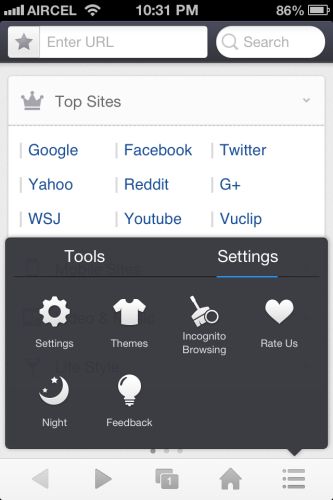
Moving to settings you can find the option to change theme, enable incognito browsing and easy on eyes Night theme mode. You can also change theme by shaking the phone .Once you open the settings panel you can see settings for browser and share menu. You can change various download options in that menu.
95

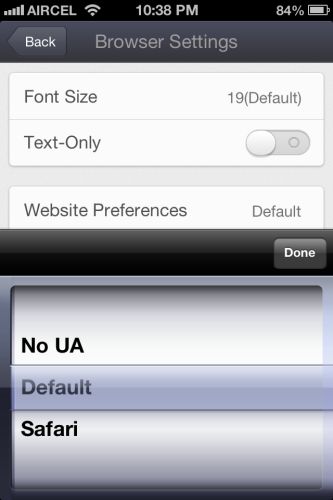
Inside the browser settings you can find the option to change user agent of the browser , font size and speed mode options to make the website load quicker.
14

Overall UC web have delivered a great and much needed update to its famous UC browser. If you are looking for a faster and more user friendly web browser for iPhone. This is the one to get. Download it here.

Plants Vs Zombies

[Deal] Plants VS Zombies Is FREE Today

Plants Vs Zombies is one of the most popular iOS game available for both iPhone and iPad. The concept of the game is really good. There will be a scenario like pool or lawn or roof where zombies tries to enter your place to eat your brains. All you have to do is to plant the available plants to protect yourself. There are lots of plants available, they have different features. Some are used for defense and some are used to attack zombies.

Plants Vs Zombies

Today PopCap, the creator behind Plants Vs Zombies made the game free for the day for both iPhone and iPad. If you haven’t tried it yet, it’s the perfect time for you to get this game when it is available for free.

Plants Vs Zombies

Plants Vs Zombies HD

TweetBot Feb 2012

TweetBot For iPhone And iPad Updated To Meet New Twitter API Rules

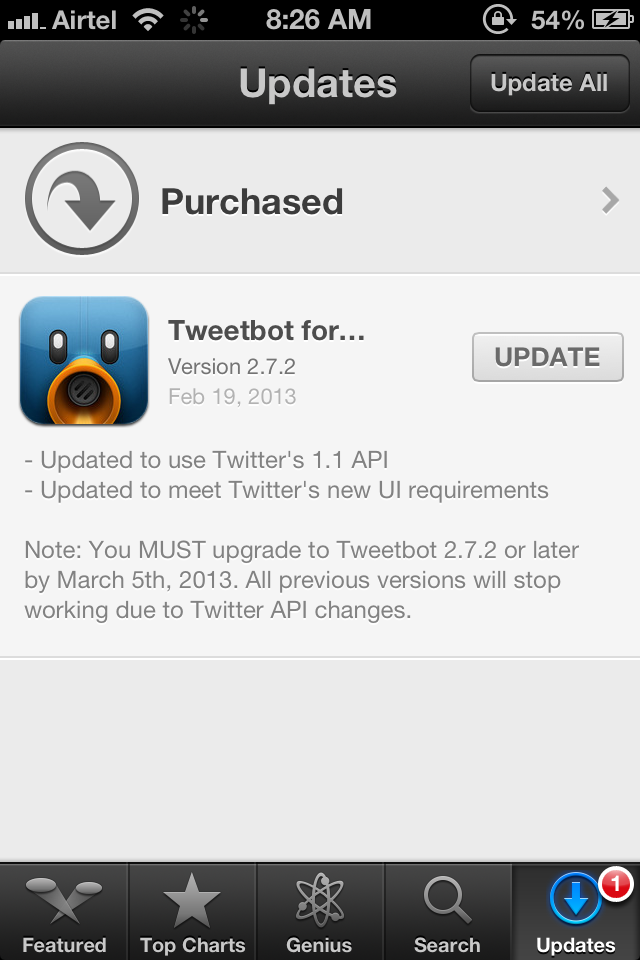
Few months back Twitter announced new rules for third party applications and also introduced new API’s. At first it was not welcomed by any third party developers as well as twitter users. But we have to adopt it, its the only way. Today tweetbot rolled out the new update for iPhone and iPad on app store to meet the new Twitter rules and API changes. Every tweetbot user must update to this new version before March 5, 2013. After March 5, 2013 old tweetbot app won’t work.

TweetBot Feb 2012

Tweetbot for iPhone

Tweetbot for iPad

Kickstarter App For iPhone

Official Kickstarter App For iPhone Launched

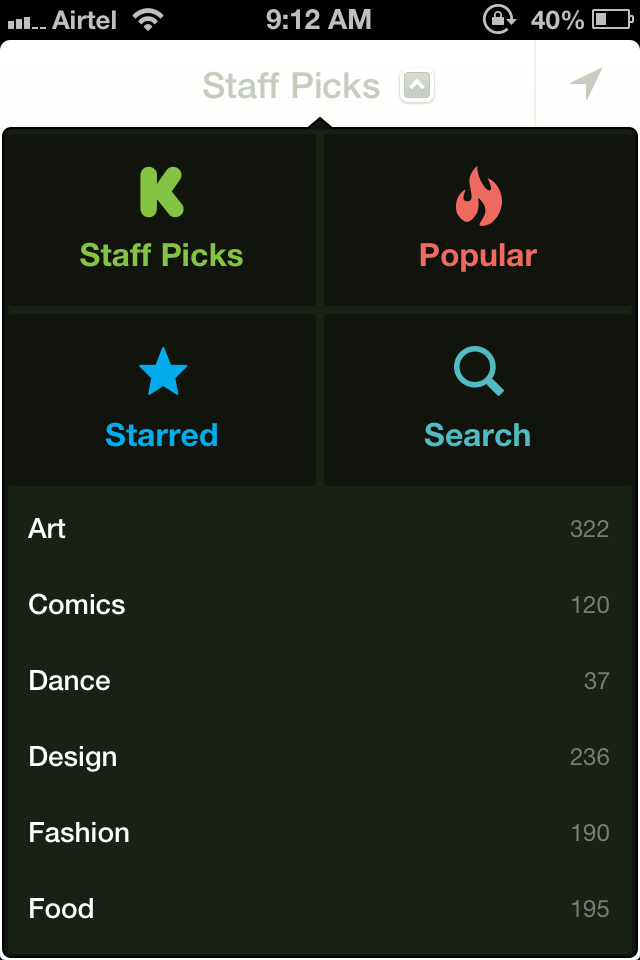
Kickstarter is the largest place where new ideas are funded and welcomed. Kickstarter today launched it’s official kickstarter app for iPhone. Still iPad app is in progress. With kickstarter app you have access to thousands of innovative projects in your hand. With kickstarter app for iPhone we can discover new projects, watch the innovative ideas videos and updates from projects.

Kickstarter App For iPhone

If you are a project creator you can use kickstarter iPhone app to stay connected with your project backers and track the progress of your project.

With Kickstarter iPhone app, It’s really easy to browse through innovative ideas and projects.

Kickstarter app for iPhone