Category Archives: iPad Mini

UCBrowser for iPhone Review

iPhone users have a opinion that the third party web browsers in iPhone doesn’t perform better than the default browser. But this UCBrowser we tested tend to differ from the array of just another third party browser concept . UC Browser is the product of UCWeb. They just updated their iPhone version of the browser with many features.

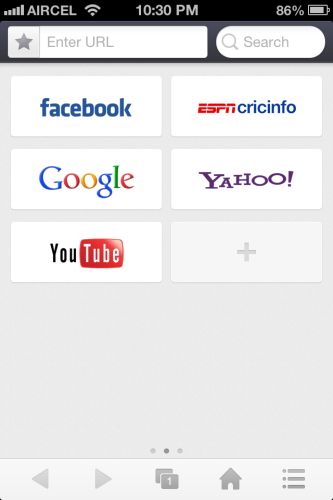
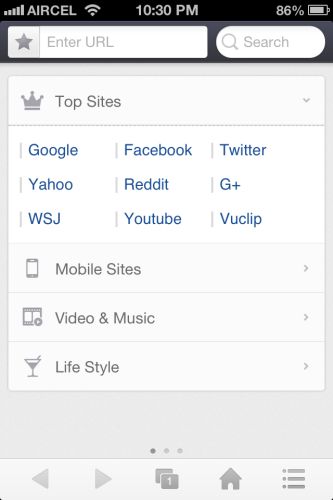
Let’s start from the home screen of the browser. Once you open the app you can see three swipable home screens. The first screen shows top sites, mobile version of famous sites and many more bookmarks.
ucbrowser

1


1-1

Second screen have the  quick shortcuts aka speed dial view of your frequently visited websites.
2

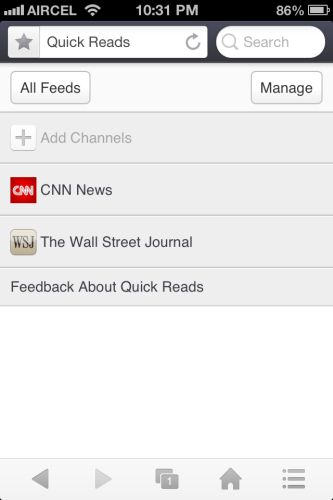
Third screen is the special one. It is called as the quick reads. It shows top headlines from various news networks. In the main screen you can see the URL text box and search text box.

10

The search bar is also improved to get you the quickest search result possible. Just click what you need to search for such as website, Videos, News and Image.

UC browser also supports gestures . Two finger swipe down opens a new tab, two finger swipe up closes the tab and two finger right or left swipe lets you switch between the tabs. And Single finger left or right swipe in a web page takes you forward or backward in a web page.
8

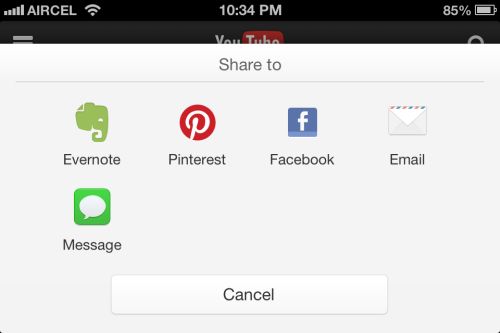
In the tools menu you can find the share menu from which you can share the page to many social networks. There is also rotation lock in the browser. The toggle for rotation lock appears when you change the orientation of the phone.

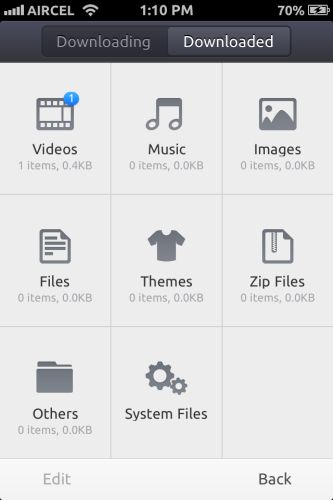
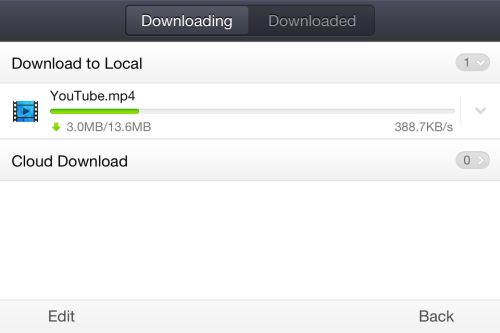
Load a website with video and wait for the surprise ;-). UC browser comes with watch offline mode. Download any videos on WiFi/3G network and watch on the go. This options shows up on all streaming internet videos.

12

713

Once you click watch offline, the UC browser starts to download the video file for you. In my opinion this is one of the most needed feature in India.
3

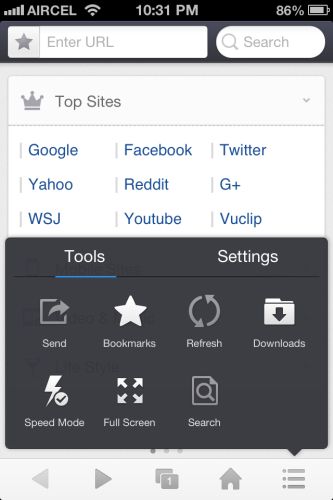
Tools and settings is the most interesting part of the UC browser. There are lots of settings to make the browsing experience good for the users. You can access speed mode which reduces image and site load. It can be accessed quickly from the tools menu.
4

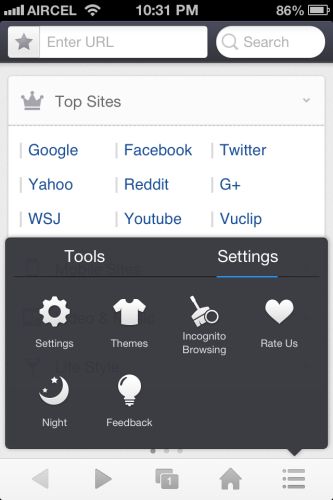
Moving to settings you can find the option to change theme, enable incognito browsing and easy on eyes Night theme mode. You can also change theme by shaking the phone .Once you open the settings panel you can see settings for browser and share menu. You can change various download options in that menu.
95

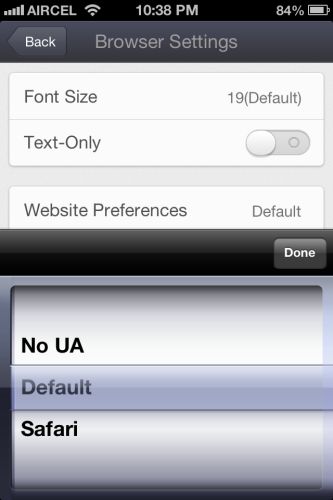
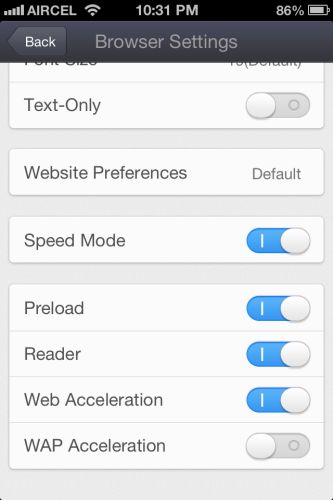
Inside the browser settings you can find the option to change user agent of the browser , font size and speed mode options to make the website load quicker.
14

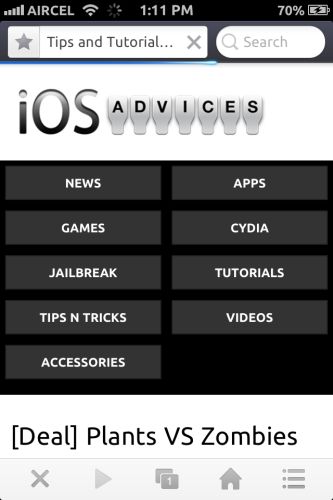
Overall UC web have delivered a great and much needed update to its famous UC browser. If you are looking for a faster and more user friendly web browser for iPhone. This is the one to get. Download it here.
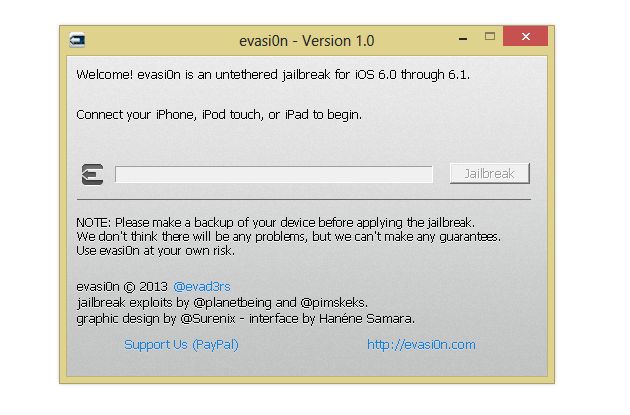
How to Jailbreak iPad Mini or iPad using Evasi0n ?

evasi0n

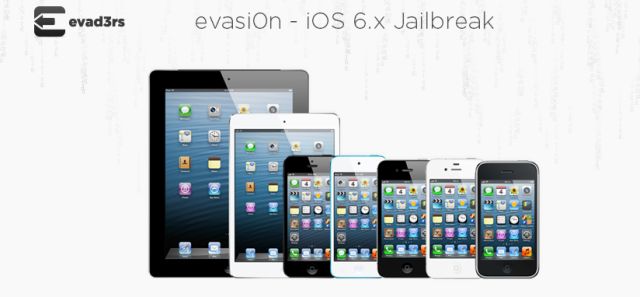
Jailbreak tool Evasi0n for iPad Mini and iPad just got released. Here is a detailed tutorial which explains how to Jailbreak your iPad or iPad Mini  using Evasi0n in simple easy steps. Evasi0n is available for PC running on Mac OS X, Windows and Linux.

 Download the Evasi0n tool for  your desktop PC by following this link here.

Once you download the tool. Follow the steps below to Jailbreak your iPhone 5.

Warning : Backup your device using iTunes (or iCloud) before using evasion. If something goes wrong, you’ll always be able to recover your data.


Step 1:

Make Sure your iOS devices runs on iOS 6 or above. If not download iOS 6 or iOS6.1, and update your device to it using iTunes.

Step 2:

Make sure you don’t have any passcode set on your device. You can disable Passcode lock from: Settings –> General –> Passcode Lock –> Off

Step 3:

Close iTunes before proceeding to the next step.

Step 4:

Start the Evasi0n jailbreak tool on your computer.

Step 5:

Connect the iPad or iPad Mini to your PC or Mac via the USB cable .

Step 6:

04-02-2013 22-51-03

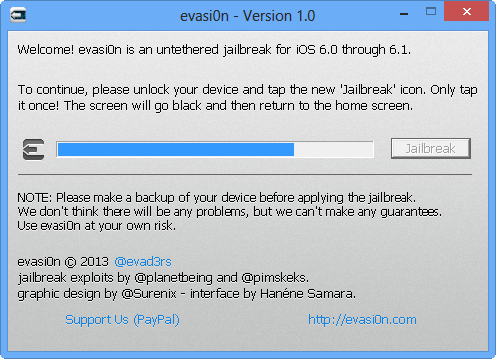
Select the Jailbreak option and run  the jailbreak process.

Step 7:

snap-1

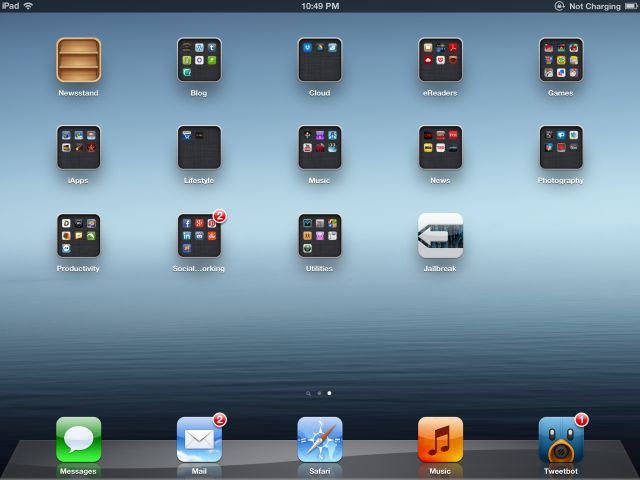
You will see an app called Jailbreak in your iPad or iPad Mini . Evasi0n now ask you to tap the icon in your iPad or iPad Mini once to continue.

Step 8: 

Tap the icon to continue the Jailbreak Process.

Step 8:

snap-2

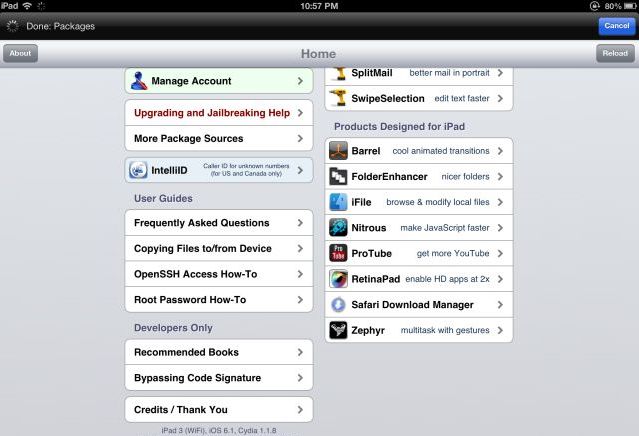
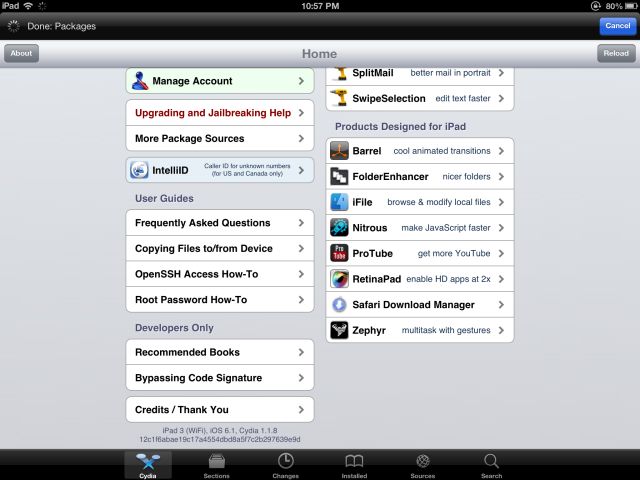
If the Jailbreak was successful you will see the Cydia app in your iPhone.


Check out the iPhone Jailbreak tutorial in this link .

iOS6 Untethered Jailbreak Tool Evasi0n now available for Download.

evasi0n

iOS6 Jailbreak tool is HERE!! The long wait for the Untethered Jailbreak tool for iOS6 comes to an end today. The team of hackers such as @pimskeks , @planetbeing , @pod2g and @MuscleNerd have just released a tool called Evasi0n. This tool was in the development for very long time. This tool brings Untethered Jailbreak for devices running on iOS6 and also to the new devices which is powered by A5, A6 and A6X Processors. This tool is said to be Compatible with all iPhone, iPod touch, iPad and iPad mini models running iOS 6.0 through 6.1.

Download Links for Evasi0n :

Mac OS X

Linux

Windows 

Official Mirrors

Server OS Link
box.net Linux SHA1: c9e4b15a161b89f0e412721f471c5f8559b6054f
Mac OS X SHA1: 23f99a0d65e71fd79ff072b227f0ecb176f0ffa8
Windows SHA1: 2ff288e1798b4711020e9dd7f26480e57704d8b2
MEGA Linux SHA1: c9e4b15a161b89f0e412721f471c5f8559b6054f
Mac OS X SHA1: 23f99a0d65e71fd79ff072b227f0ecb176f0ffa8
Windows SHA1: 2ff288e1798b4711020e9dd7f26480e57704d8b2
RapidShare Linux SHA1: c9e4b15a161b89f0e412721f471c5f8559b6054f
Mac OS X SHA1: 23f99a0d65e71fd79ff072b227f0ecb176f0ffa8
Windows SHA1: 2ff288e1798b4711020e9dd7f26480e57704d8b2

Angry Birds STARWARS now available for download!!

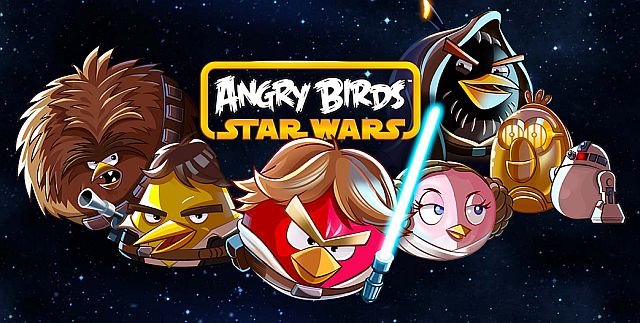
Rovio’s next big AngryBirds game with the EPIC!! STARWARS partnership is releasing today. Rovio was teasing us since October with this new game. This game features characters from Starwars and their powers too 😉 . Just now the game went live in App Store. This app is now available for both iPhone and iPad.

Download Here :

iPad -> http://itunes.apple.com/us/app/angry-birds-star-wars-hd/id557138109?mt=8

iPhone -> http://itunes.apple.com/us/app/angry-birds-star-wars/id557137623?mt=8

JOIN THE ANGRY BIRDS IN THEIR BIGGEST ADVENTURE YET!

A long time ago in a galaxy far, far away… a group of desperate rebel birds faced off against a galactic menace: the Empire’s evil Pigtroopers!

Rebel birds, striking from a hidden base, have won their first victory against the evil Imperial Pigs. During the battle, Rebel spies managed to steal secret plans to the Empire’s ultimate weapon, the PIG STAR, and are racing to deliver the plans to the Rebel Birds. Now they need your help!

Join an epic adventure with the Angry Birds in the legendary Star Wars™ universe! Use the Force, wield your lightsaber, and blast away Pigtroopers on an intergalactic journey from the deserts of Tatooine to the depths of the Pig Star — where you’ll face off against the terrifying Darth Vader, Dark Lord of the Pigs! Can you become a Jedi Master and restore freedom to the galaxy?

Time to grab your lightsaber and join the adventure! May the birds be with you!

HOURS AND HOURS OF ENGAGING GAMEPLAY – Explore more than 80 levels in iconic locations like Tatooine and the Pig Star. Can you dodge Imperial pigs, laser turrets, Tusken Raider pigs, and the dark side of the Force to get all three stars?

NEW GAMEPLAY MECHANICS – Use lightsabers, Blasters and Jedi powers to wreak havoc on the Imperial Pigs!

LEVEL UP YOUR BIRDS – Keep playing and level up your birds to improve their skills!

SECRETS AND HIDDEN GOODIES – Can you unlock all the R2-D2 and C-3PO bonus levels?

FREE UPDATES – This is only the beginning of the epic saga!

THE MIGHTY FALCON
Stuck on a tricky level? Earn stars and call the Mighty Falcon to rain down the destruction. New goals, achievements and gameplay!

PATH OF THE JEDI
The ultimate training ground for a Young Jedi, this in-app purchase unlocks 40 Dagobah Challenge Levels with Jedi Master Yoda! Master the Path of the Jedi to unlock the ultimate lightsaber!

iOS 6.0.1 Performace and Bug Fixes update now rolling out!

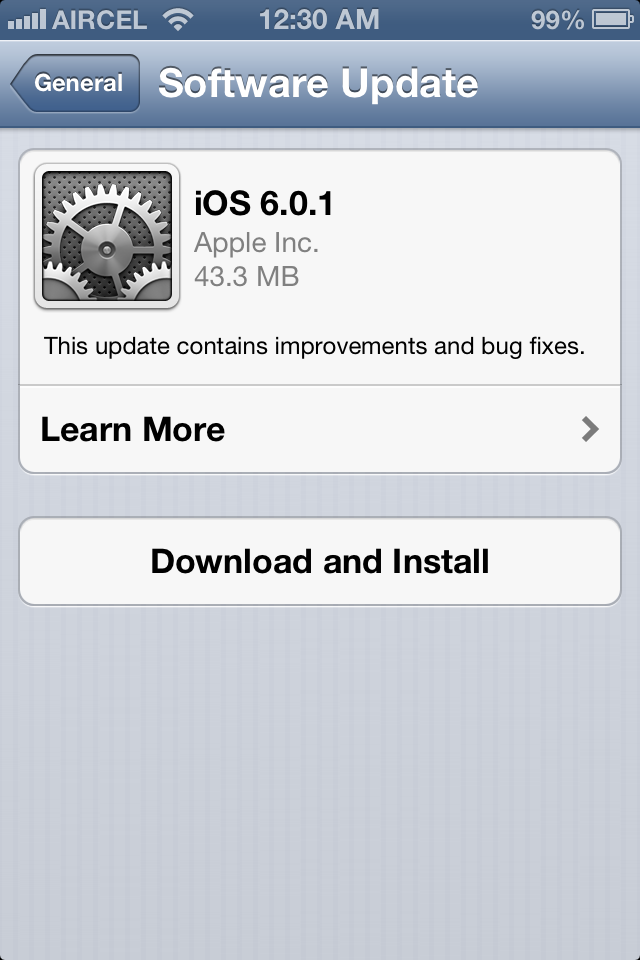
Apple just released iOS6.0.1 which is a minor update to fix performance issues and also to fix some bugs in iPhone 5 and other iOS devices. This update is available as OTA update and it weighs just 43.3MB. We suggest you to update your iPhone 5 since this update comes with lots of bug fixes. Detailed change log from Apple attached below.

  • Fixes a bug that prevents iPhone 5 from installing software updates wirelessly over the air
  • Fixes a bug where horizontal lines may be displayed across the keyboard
  • Fixes an issue that could cause camera flash to not go off
  • Improves reliability of iPhone 5 and iPod touch (5th generation) when connected to encrypted WPA2 Wi-Fi networks
  • Resolves an issue that prevents iPhone from using the cellular network in some instances
  • Consolidated the Use Cellular Data switch for iTunes Match
  • Fixes a Passcode Lock bug which sometimes allowed access to Passbook pass details from lock screen
  • Fixes a bug affecting Exchange meetings


For information on the security content of this update, please visit this website:

http://support.apple.com/kb/HT1222

iPad Mini Vs iPad 2 Vs iPad With Retina Display (4th Gen) [Comparison]

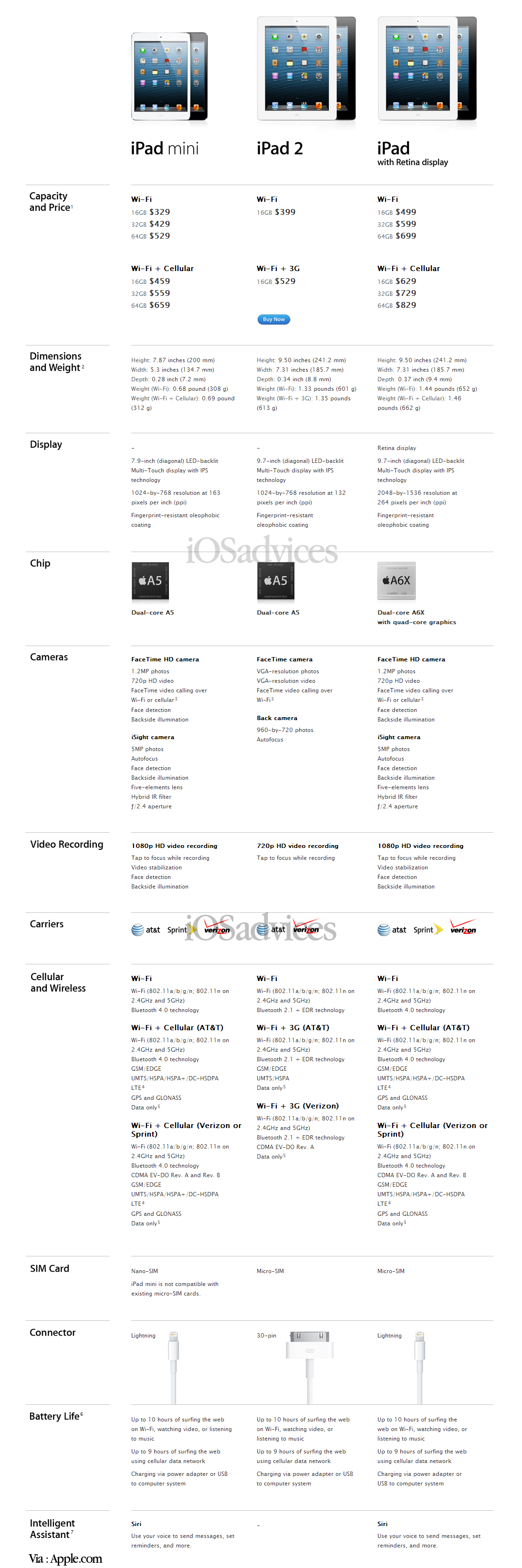
Apple today announced all new iPad 4th Generation and much expected iPad Mini. iPad 4 is the extended version of iPad 3. But iPad 4 has better processor and wireless networks. iPad 4 is powered by A6X processor, dual core processor and quad core graphics. A6X processor is 2 times faster than A5X processor, graphics too. iPad 4 is packed with new Wifi modules than can perform 2 times faster than the previous. Comes with FaceTime HD camera and lightning connector.

iPad Mini is much expected product from Apple. The mini tablet is important in the current scenario. The iPad mini used the same display resolution as the original iPad and iPad 2. iPad mini has 7.9 inch display (Diagonal). iPad Mini is powered by Dual core A5 processor, 5 megapixel iSight camera, new Facetime HD 720 camera, Faster wireless, LTE and lightning connector.

Both iPad Mini and iPad 4 has Siri. All the 275000+ iPad only apps works perfect on iPad Mini, Since the screen resolution is not changed.

iPad Mini Vs iPad 2 Vs iPad With Retina Display (4th Gen) [Comparison]