All posts by Karthikeyan

About Karthikeyan

Blogger.. Apple FanBoy.. Social Media Enthusiast.. Web Addict.. Connect with me to know more :)

Netbot

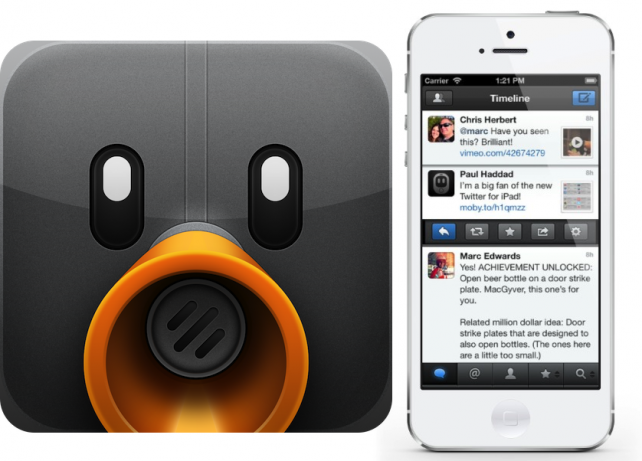
Netbot For App.Net For iPhone And iPad Is Free For Limited Time

App.net is a real time social network without any ads. App.net is a premium service. Like twitter and Facebook you can’t create a free account. But, the membership fee for App.net is really cheap and this premium price helps to serve App.Net without any ads.

Tapbots, developed netbot to enjoy app.net with rich user experience for iPhone and iPad. Today tapbots, slashed the price of Netbot and it is available for FREE for limited time.

Netbot

Netbot Features

  • Smart Gestures. Use App.net more efficiently with time-saving and configurable gestures.
  • Mute filters lets you block messages from users without unfollowing them.
  • Sync timeline position via Stream Marker and mute filters via iCloud.
  • Customizable Navigation. The last 2 tabs are customizable and unused tabs are easily accessible.
  • Support for multiple services like Pocket, Instapaper, Readability, CloudApp and Droplr.
  • Save drafts, attach photos/videos, manage your accounts, and much more.

Netbot For iPhone

Netbot For iPad

iOS 6.1 Direct Download Links

iOS 6.1 Direct Download Links

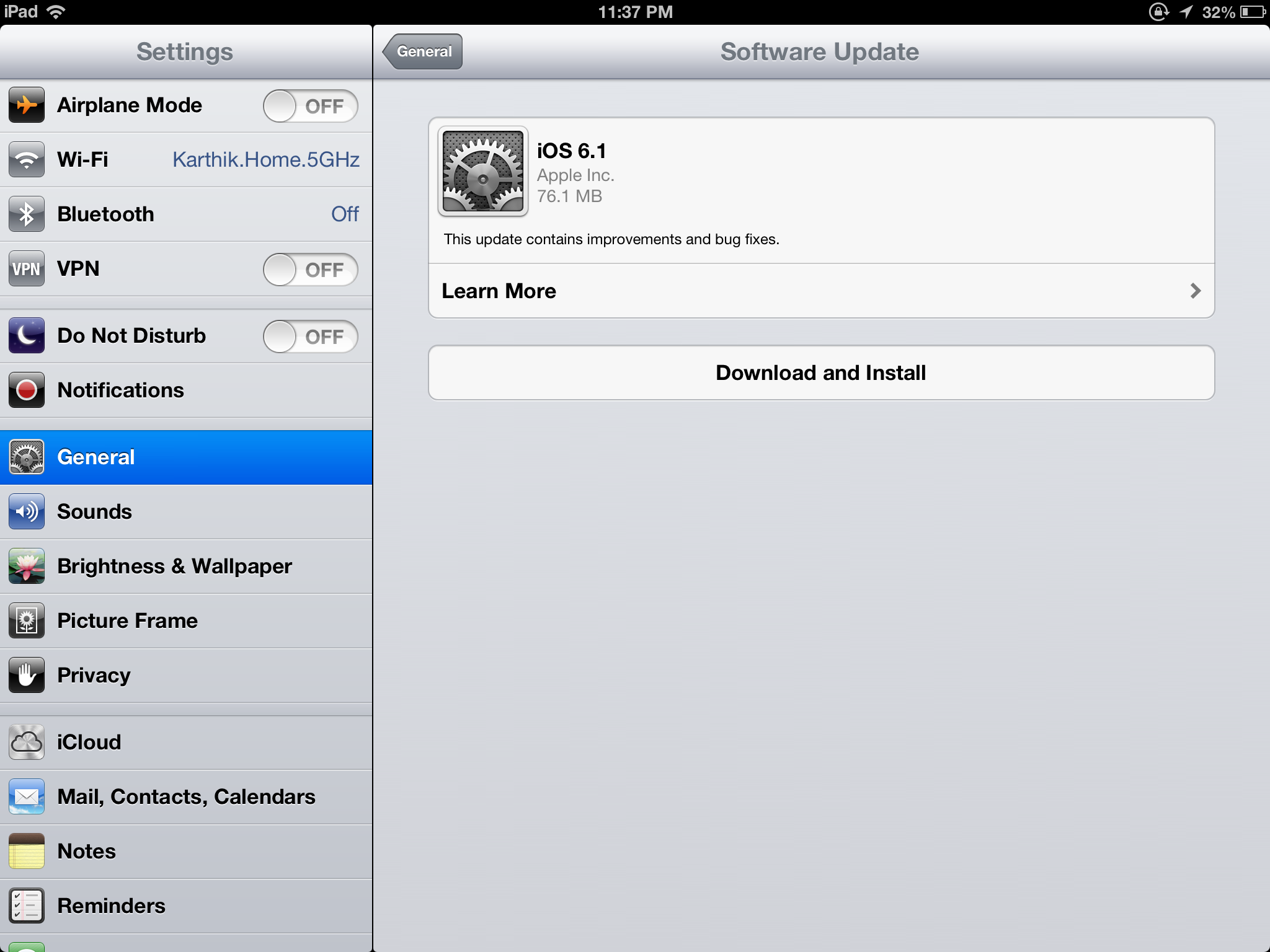
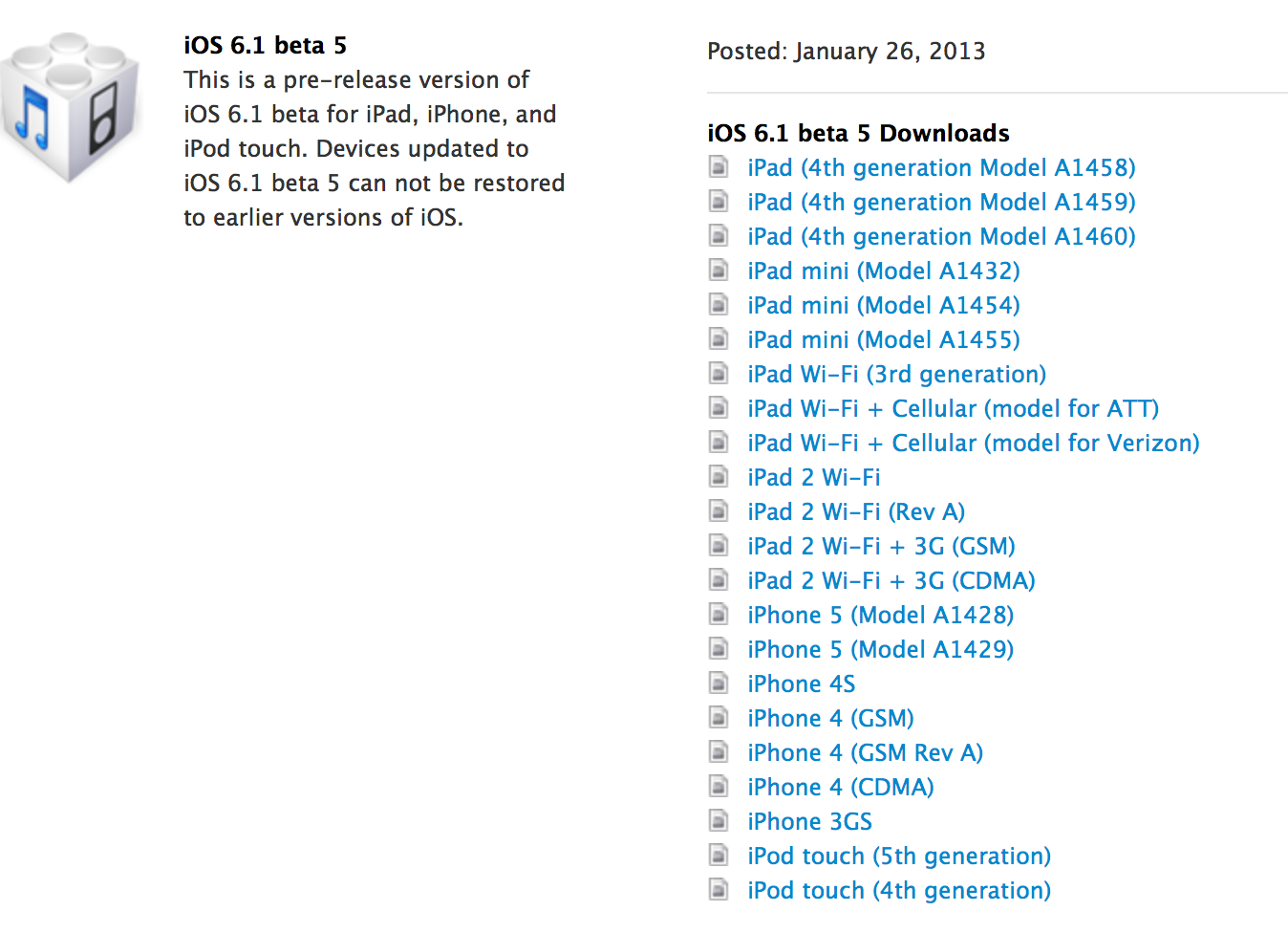
Apple just released iOS 6.1 for iPhone, iPad, iPad Mini and iPod Touch. If you want to jailbreak your device stay out of it . Others you can also download the ipsw files and install it . For quick and simple installation just update the software over the air in settings – software update. Here comes the direct download links for iOS 6.1.

iOS 6.1 Direct Download Links

Breaking : Apple Released iOS 6.1 For iPhone, iPad, iPad Mini And iPod Touch

Apple today released iOS 6.1 for public. iPad, iPad mini, iPhone and iPod Touch users can update to this latest version via over the air update. Total File Size 77 MB

The update includes improvements of improvements for iOS device users:

  • LTE support for more carriers (Apple previously announced that it would add more LTE carriers this week)
  • Purchase movie tickets through Fandango via Siri (US only)
  • iTunes Match subscribers can now download individual songs from iCloud
  • New button to reset the Advertising Identifier.

iOS 6.1 iPhone, iPad, iPad mini, iPod Touch

Documents by Readdle

Access Your Files From Any Cloud Storage Service On Your iPad With Documents By Readdle

iPad, perfect tablet for perfect human being. iPad is one of the most amazing gadget from Apple Inc. We can do lots of stuffs using iPad. We can play games, watch movies, listen music, surf web, create content, read books and lots of stuffs. Still iPad usage depends on the owner and how they see and use it. iPad has better battery backup. iPad can run upto 10 hours if used wisely.

Cloud Storage became popular in these days. There are lots of cloud storage service like iCloud, DropBox, Google drive, Amazon cloud and lot more. I use to save my files in cloud storage so that I can access them from any were or any device I use. I prefer Dropbox over the other cloud services. I am using dropbox across my devices so it’s really useful for me to read or write any files from any of my device.

Perfect All in one Document Reader

I already mentioned that I personally prefer dropbox to save my documents. There are lots of reader apps for iPad to read documents on the go. But, I found Documents By Readdle is quite interesting. Documents by readdle can read various file types that are stored in different cloud storage services.

Documents by readdle comes with various functions like File Viewer, PDF Viewer, Network storage, Text editor, Image Viewer, Video Player, Audio player and Archiver. Below are the file formats supported by Documents By Readdle.
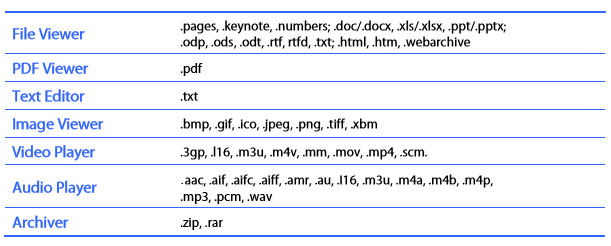
Documents By Readdle - Supported File Formats


How sweet, most file types are supported. Yes it also supports audio and video formats.

Documents and Cloud

Adding a cloud storage on Documents By Readdle is very easy. To add a cloud storage you has to simply tap on network to add storage. In network tap on add storage you will find lots of cloud storage services. The most important thing is it supports multiple accounts from same cloud storage.

I am using two Google drive storage, one for personal files and one for official files. Adding drop box is very simple. just tap dropbox it will ask your permission to launch dropbox app to authorize it or you can simply login using your dropbox credentials. You can both download and upload all the documents from and to iPad and Cloud storage.
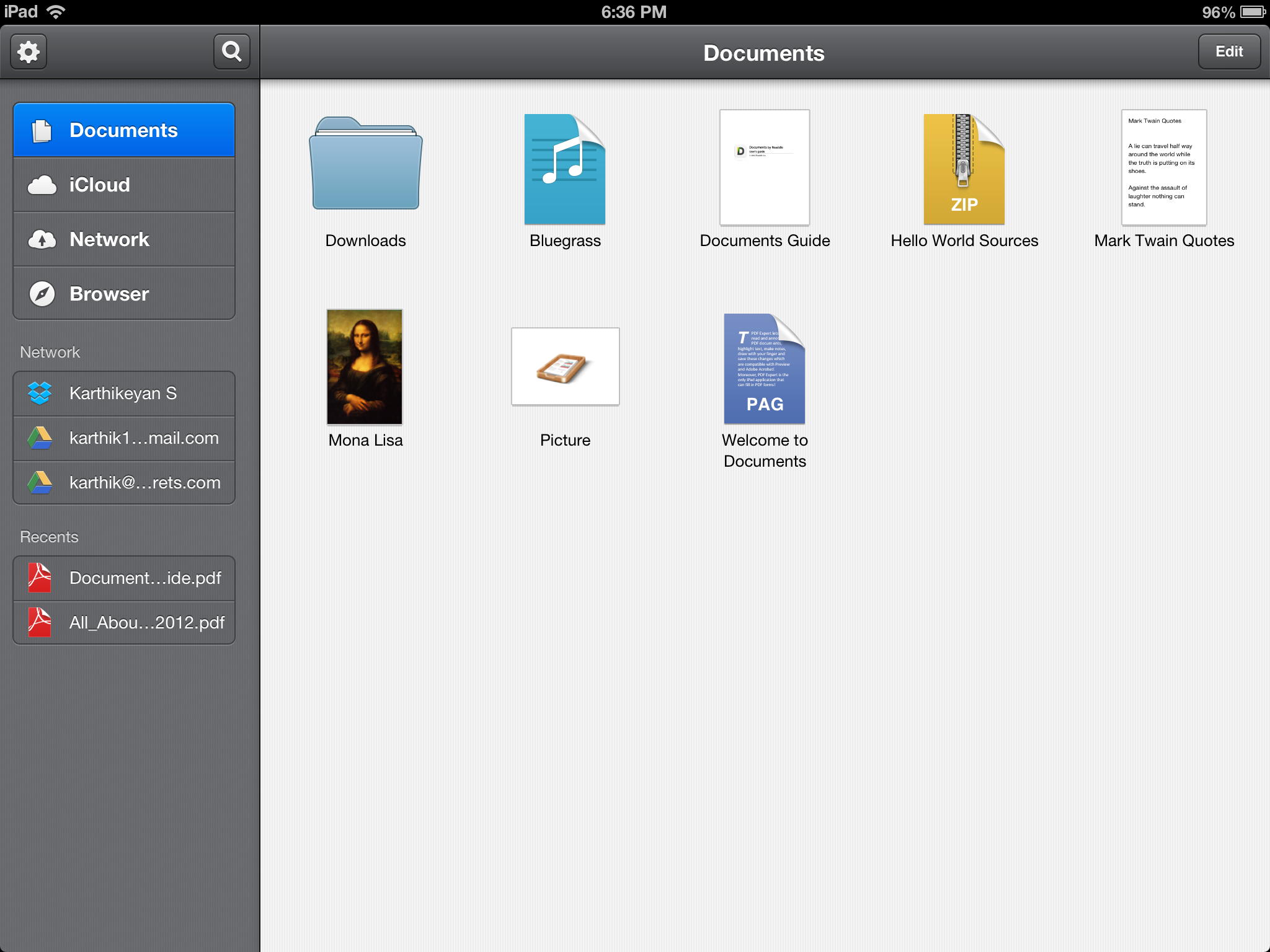
Documents by Readdle

Direct Download Document From Web

You can directly download documents from web browser on your iPad using Documents by Readdle using the inbuilt web browser. You can also transfer documents using FTP.

File Management

Managing a document is easy and basic. We can Copy, Move, Rename, Compress, Delete, Email, Upload or open the document in any other app that supports particular file format. We can also perform bulk actions.

Stored lot’s of documents ? Just Search.

To bring the search bar just tap on the lens like icon. We can search any particular document using file name or using the in content of the documents (This depends on file indexing)

You will love reading documents

We can annotate PDF files, We can add note, highlight, underline, strikeout, search or define and word in the documents. We can also Airprint the documents.

Other Features

There are lots of other awesome features supported by Documents By Readdle. We can password protect the app and also enable iOS data protection to secure our files. For WiFi access of file, we can enable or disable password protection.  This app also allows us to transfer documents using iTunes file transfer.We can change the fonts and font size for better reading.

The Verdict

The above mentioned features are available in this single app and its available or FREE on iOS App Store.

Thanks to the team for this awesome app.

Documents By Readdle (iTunes Link)

Cost :Free

Temple Run 2 For iPhone And iPad, Don’t Let The Monster To Kiss Your ASS

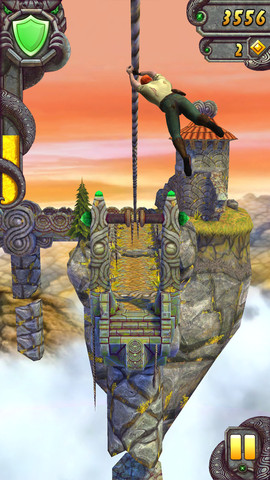
Temple Run is one of the most popular and free game for iPhone and Android. Today Temple Run 2 was released by Imangi Studios with different world and different characters. The new world is really adventures and interesting. Navigate perilous cliffs, zip lines, mines and forests as you try to escape with the cursed idol. Just don’t let the monster to kiss your ass.

Temple Run 2

Temple Run 2 Features

  • Beautiful new graphics
  • Gorgeous new organic environments
  • New obstacles
  • More powerups
  • More achievements
  • Special powers for each character
  • Bigger monkey!!!

Temple Run 2 For iPhone And iPad (iTunes Download Link)

Make Your iPhone 5 Sexy With Sparx iOS LED Flash Notification Case

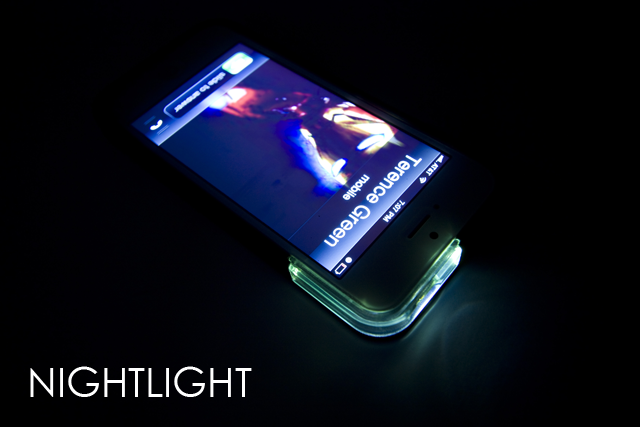
iOS comes with built in LED notifications. The Camera Flash will work as LED notification alerts for Messages, calls and most of the third party push notifications. To turn on LED Alert just go to Accessibility in settings. Sparx has developed new case for your iPhone 5 which is based on LED Flash alerts. Sparx illuminates for all your push notifications. Here is the cool video of the case.

I really like this idea, how about you ? But unfortunately the funding was unsuccessful. Check out the kickstarter page for this project

How To Install Cracked Apps On iPhone, iPad, iPad Mini, iPod Touch without Jailbreak

Most good apps or games are paid for iPhone and iPad. Every Paid app is really worth for what we paid. There are lots of apps in the App Stores. It’s hard to install the cracked apps or games on iPhone. You need to jailbreak the iPhone or iPad  to install cracked apps / pirated apps. Here is a new trick to install the cracked paid apps or pirated paid apps or games on your iPhone or iPad without jailbreak.

How to install cracked apps / paid apps on iPhone and iPad without Jailbreak

This trick works with most iOS devices and most iOS versions ( Tested on iPhone 4 + iOS 6.0.1)

NOTE : If you sync your iPhone or iPad with iTunes you may loose the apps / games  installed through this method

Here is a trick to get iTunes Gift cards for free.

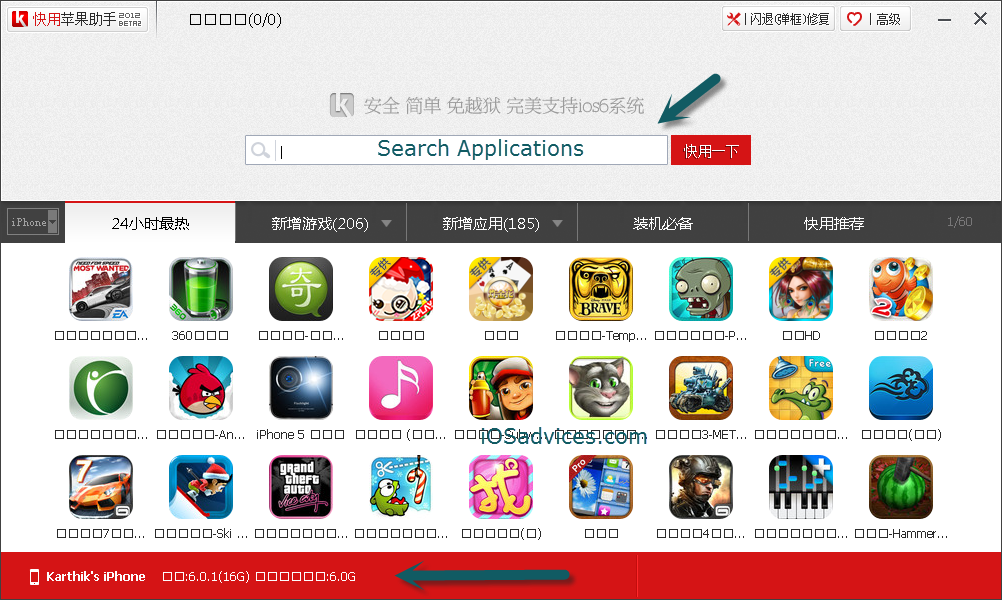
1.Download and Install the software Beta2 2012 / KYSetup__1506.exe [Or] Beta1 2013 / KYSetup_2010.exe (Via kuaiyong )

2. Connect your iPhone or iPad or any other apple device, Once connected your phone or iDevice  name will be shown at the bottom left of the application.

How to install cracked - paid apps on iPhone and iPad without Jailbreak (1)

3. Use the big search box to search the applications, You can also search apps for iPhone and iPad

4. Once you found your desired app click on the App Icon from the search results.

How to install cracked - paid apps on iPhone and iPad without Jailbreak (2)

5. Click the red button below the App or game icon to download and install the app or game

How to install cracked - paid apps on iPhone and iPad without Jailbreak (3)

6. If the Phone or iPad is already connected it will be automatically installed on your iDevice

How to install cracked - paid apps on iPhone and iPad without Jailbreak (4)How to install cracked - paid apps on iPhone and iPad without Jailbreak (5)

Now you can really enjoy the cracked apps for free without jailbreaking your device.

To to view the downloaded app click on the application and right click. Select the 6th option it will open the downloaded application folder

How to install cracked - paid apps on iPhone and iPad without Jailbreak (6)How to install cracked - paid apps on iPhone and iPad without Jailbreak (7)

Note : Please don’t install cracked app. Please pay and get the apps. 

I personally tested Angry birds star wars. It worked like charm. I deleted the software and the download application. Again, Please pay for Apps.

Tweetbot For iPhone And iPad At $0.99 [App Deal]

Twitter is the most popular micro blogging social sharing site. Twitter is mostly accessed from mobiles than web. Twitter has over 200+ million user base. Official twitter app is available for most mobile platforms, but they are not better than many third party apps for mobile phones. tweetbot For iPhone and iPad Tweetbot holds the first place for best third party app for twitter. Tweetbot has lots of features when compared to the official Twitter app. Today both Tweetbot for iPhone and iPad is on sale and available for $0.99. If your twitter addict, you must get Tweetbot today.

Tweetbot for iPhone

Tweetbot for iPad

YouTube Capture For iPhone, iPod Touch And iPad, Video Sharing Simplified

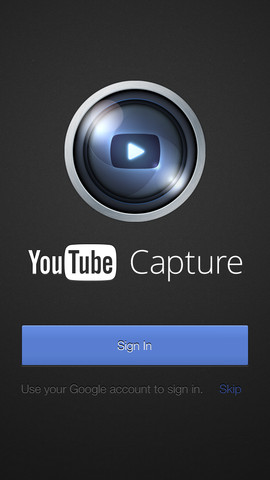
YouTube is the most popular video sharing site from Google. Most people prefer videos over the written content, most people share their best moments on YouTube like wise there are large number of groups which concentrate on different niche. Google recently unveiled its new YouTube Capture app, using this application we can shoot videos form our iPhone and upload it on YouTube with ease.

YouTube Capture

This app has most features like YouTube page, we can set the privacy settings, Social sharing settings, color correction, stabilization, video upload quality, adding sounds to the videos, trimming of videos before upload. This app works like charm, its now easy for iOS users to easily upload their videos on YouTube.

With few taps we can easily shoot video and upload it on YouTube.

YouTube Capture For iPhone, iPad and iPod Touch, Available For FREE on iTunes App Store